Report a number your client's last agency never had.
Your client's conversion rate is better than they think. Every rate on their dashboard is divided by installs, bots included.
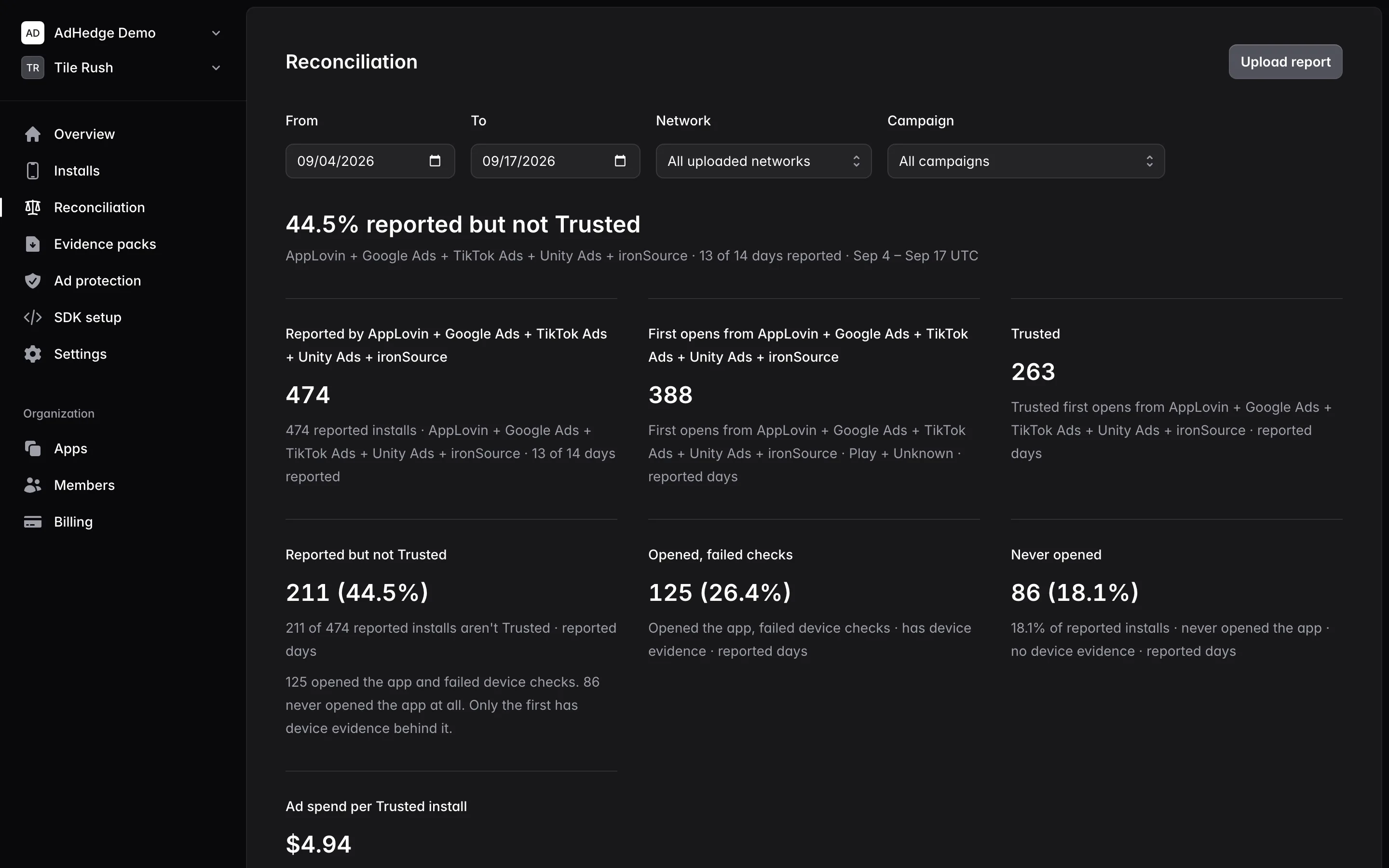
AdHedge verifies every install with Play Integrity. Your monthly report shows what each network and campaign cost per real install, and which installs a network billed for that never opened the app. It goes out under your name.
Your client owns the account and pays. You get a login. Same as your MMP.
- Your logo on the report
- No ad account access
- Free up to 1,000 verified installs/month
- 20% off every Pro app
The deliverable
Three lines a standard UA report doesn't have.
- Verified installs
- How many of the installs you bought were people, by network and campaign.
- Ad spend per real install
- The cost you can move. Every campaign gets its own number.
- What the network billed anyway
- Reported installs that never opened the app, counted apart from installs that opened and failed checks.
Every verdict comes from Play Integrity and the app's own first session. The report says what each network delivered against what it reported.
What the client opens
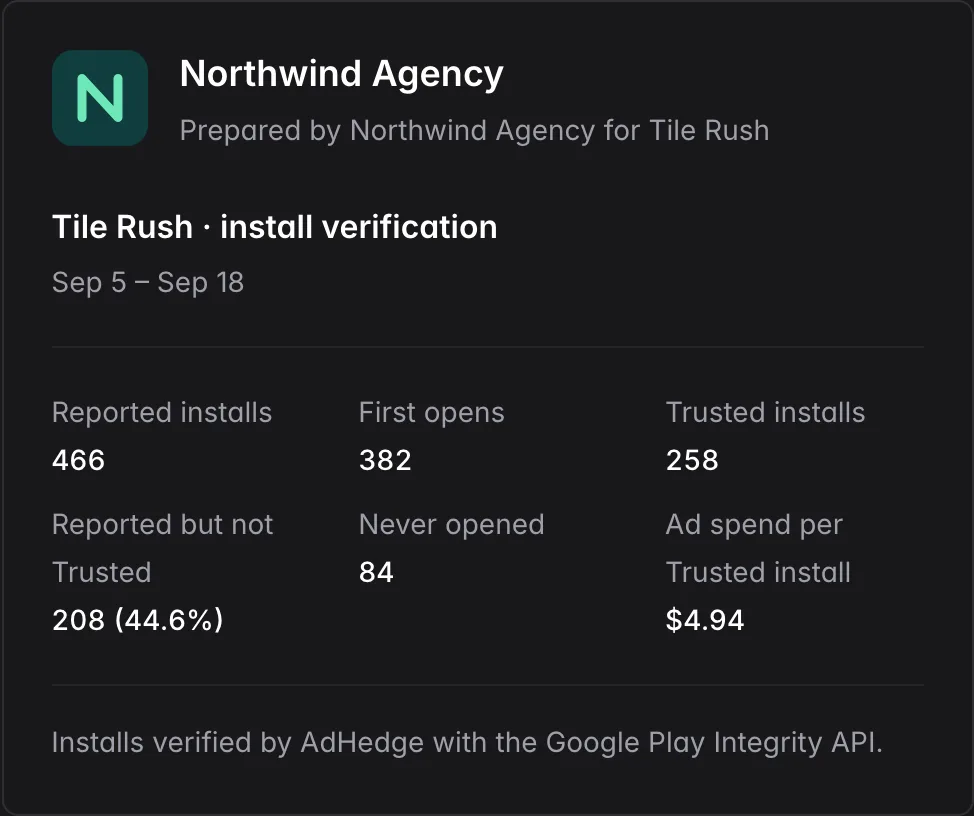
The first page of a client report: your name, your logo, the period's figures, and one line naming the method.
Build it from any date range, for one network or all of them.
In the console
Upload the network's report. Get the client's number.
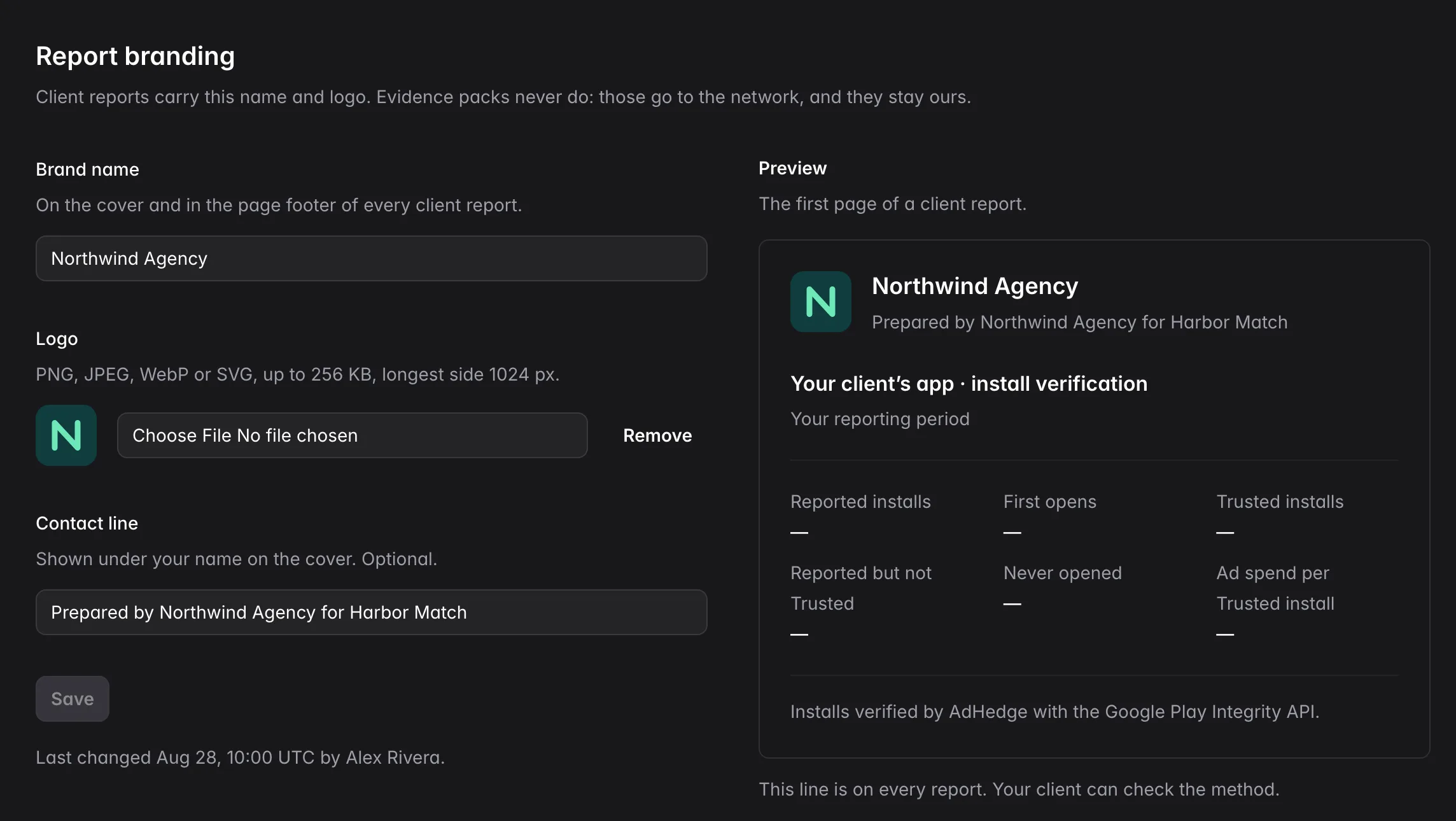
Your name on the client's report
Set a name, a logo and a contact line once for the workspace. Every client report you build carries them.
One fixed line names AdHedge and Play Integrity, so your client can check the method. Free on every plan.
Every campaign, priced in people
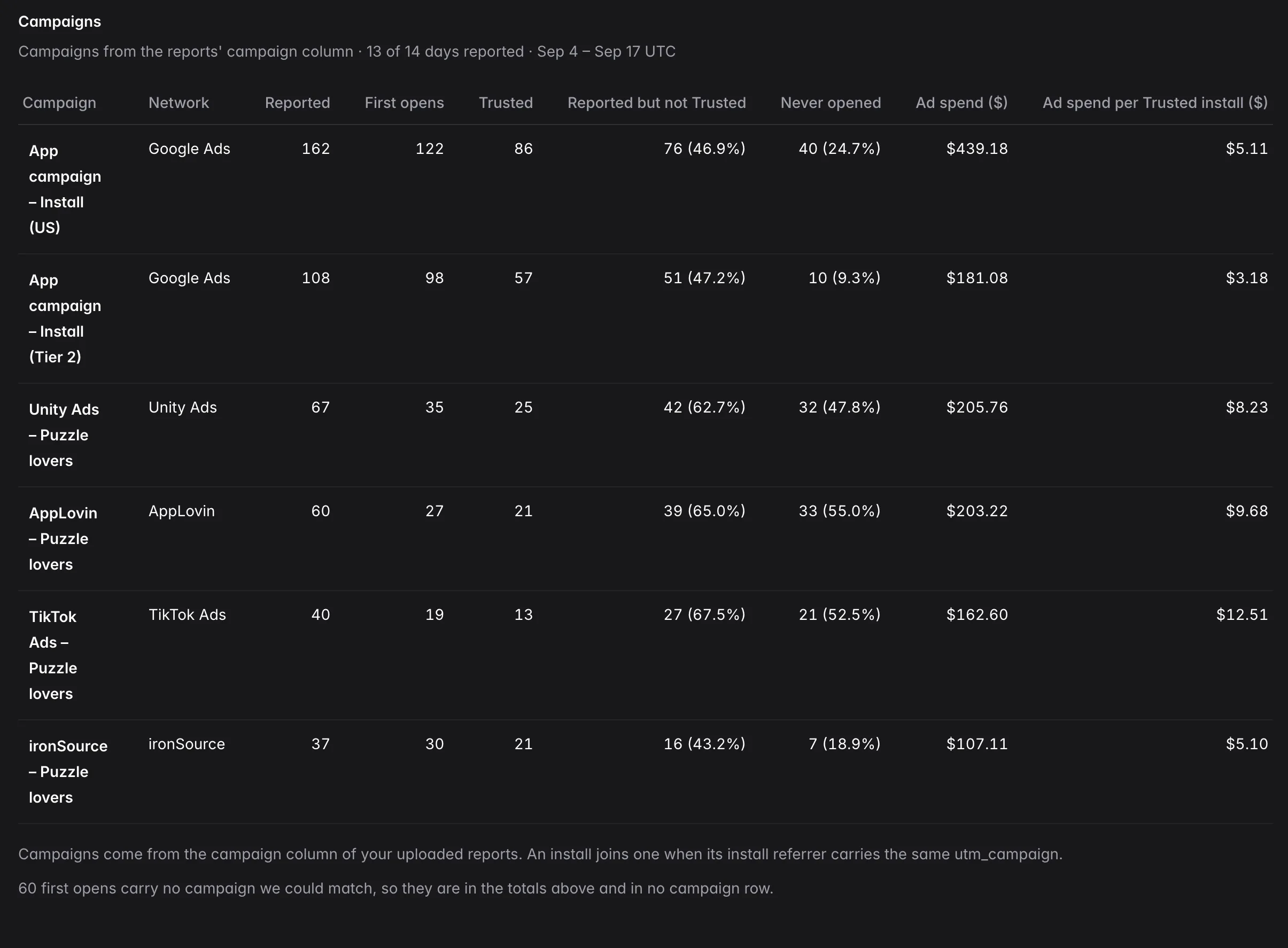
Drop in a CSV from Google Ads, Meta, Unity, AppLovin, ironSource or TikTok. The campaign table joins it to first opens and shows ad spend per Trusted install.
When the client holds the report, the console writes the request to paste to them.
Defensible in the client meeting
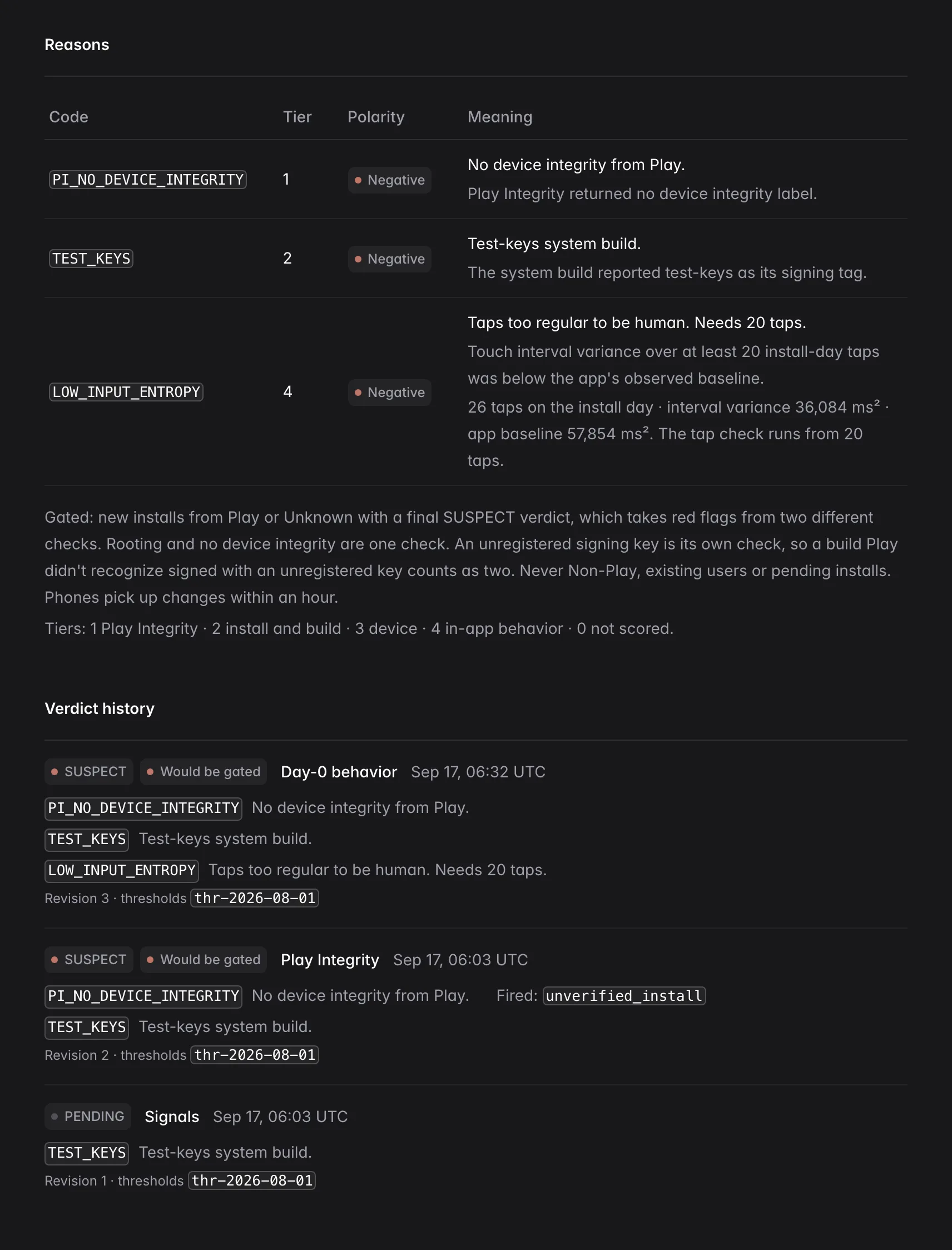
Every flagged install opens to its reason codes, the device facts behind them and its verdict history.
Take it to the network as an evidence pack: a summary PDF, a per-install CSV and the method, zipped for one source and date range.
The account conversation
Same budget. Better cost per real install.
You move spend off the placements that bought nothing and into the ones that bought people. The budget stays under your management and the number you report improves.
- You found it first
- The finding lands in your report, under your name, with your read on what to do about it.
- It reads on the network
- Verdicts are device facts from Play Integrity. Nothing in a pack claims intent.
- Bidding learns from people
- The app fires the conversion only for verified installs. Set it as the primary conversion and bid on it. Bidding steers from about 10 real players a day.
- Month over month
- Verdicts by day and a day-table CSV, so the trend is yours to show.
Start with one client
One app is enough to start.
-
01
Pick the app with the most install spend
One app is enough to see what a network delivers.
-
02
Their developer adds the SDK
A dependency, a routing key, a verdict listener and a Cloud project number. See the install steps.
-
03
Upload last month's install report
The campaign table gives you the number for the next client meeting.
Built for a roster
Your client owns the account. You get a login.
Same as your MMP. Agencies get 20% off every Pro app.
See pricing- Every client app is its own app, with its own verdicts and bill.
- Your client gives your workspace the apps you run. Every other app stays hidden from you.
- One Portfolio page lists every client app you can open, by client.
- Your client ends access in one click. Nothing about the app changes.
- You and your client read the same verdicts. No setting hides them from either side.
- Pro is priced per app, so one pilot never prices the roster.
- Branding, evidence packs and reconciliation are on the free plan.
- No cross-app identity. One client's data never informs another's.
FAQ
What agencies ask
Do you need access to our ad accounts?
Does the client have to cut spend?
Does turning this on break our campaigns?
verified_install as its conversion.Who owns the account?
Whose name is on the report?
What does an evidence pack claim?
Does it fit AppsFlyer or Adjust?
verified_install through whichever SDK it already ships, including Firebase, Meta and TikTok. Set it as the primary conversion. How.What does it cost us?
Bring it to your next pitch.
Early access for agencies buying Android installs. Tell us about one client app and we will set it up with you.